

Overview
You can deposit BRL funds into your Crown account using PIX, PIX (QR Code), or TED. Once deposited, these funds become available in your account balance and can be used for conversions to tokenized assets.You will receive an email notification once your deposit has been processed and credited to your account.
Getting Your Deposit Information
To deposit BRL funds, you need to get your unique bank account details from the Crown dashboard.Step 1: Access the Deposit Modal
Navigate to your BRL balance card in the Crown dashboard and click the Deposit button: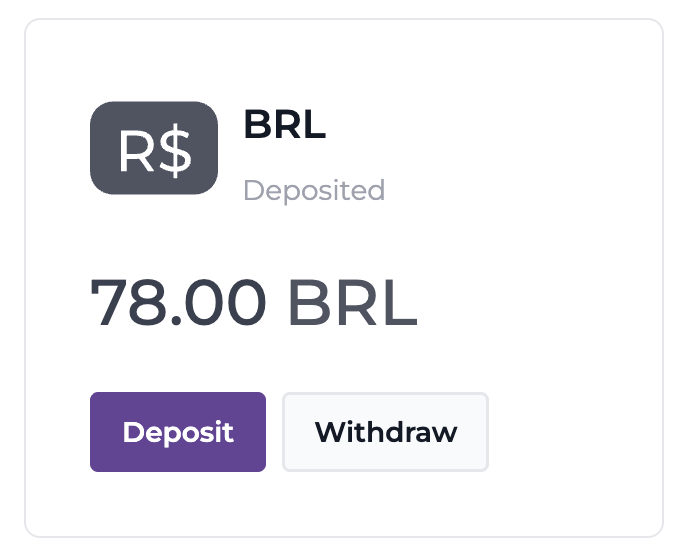
Step 2: Choose Your Deposit Method
A modal will appear with three tabs for different deposit methods: PIX, PIX (QRCODE), and TED.PIX Deposit
Select the PIX tab to view your PIX deposit details: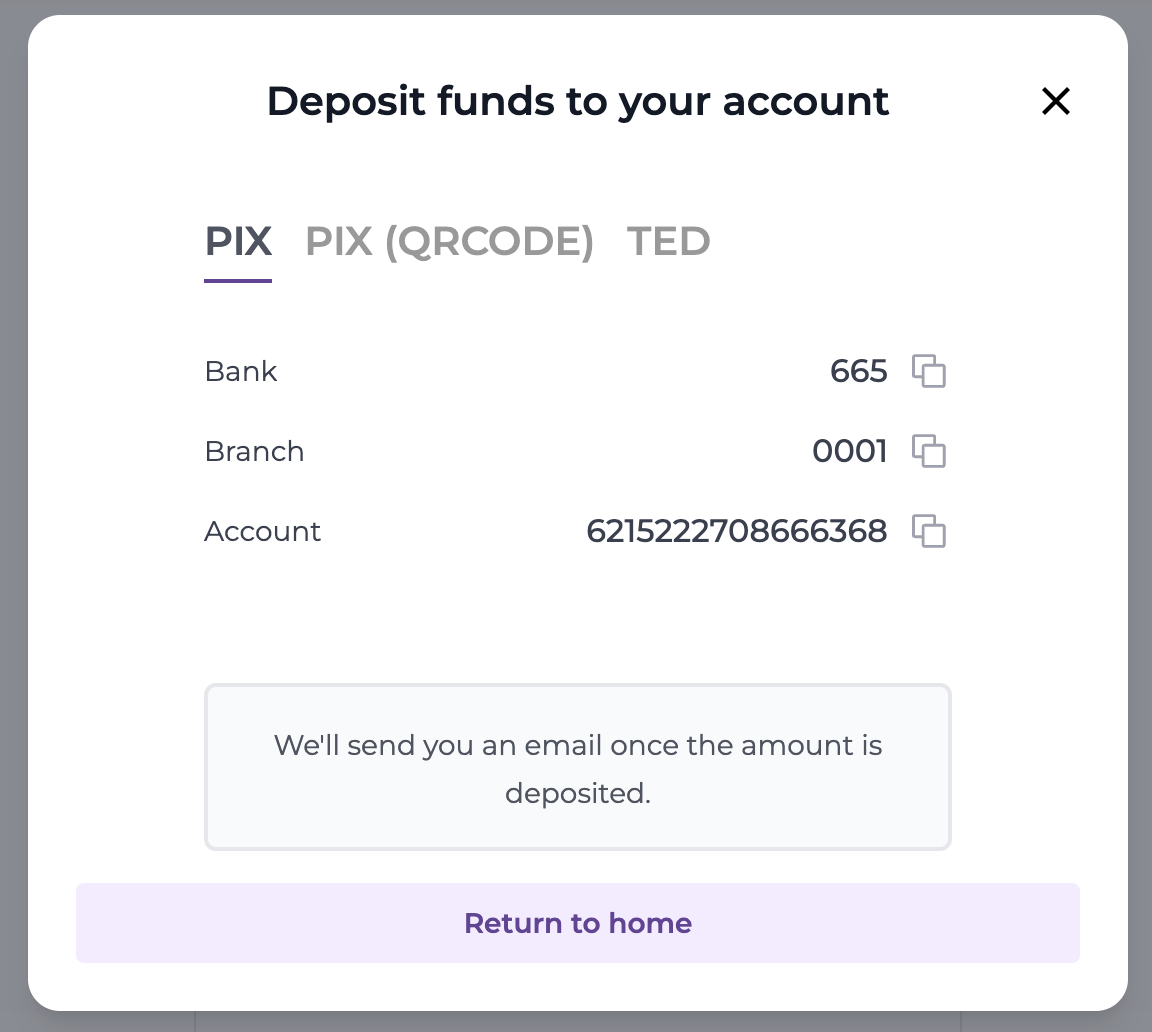
- Bank: 665
- Branch: 0001
- Account: Your unique account number
TED Deposit
Select the TED tab to view your TED deposit details: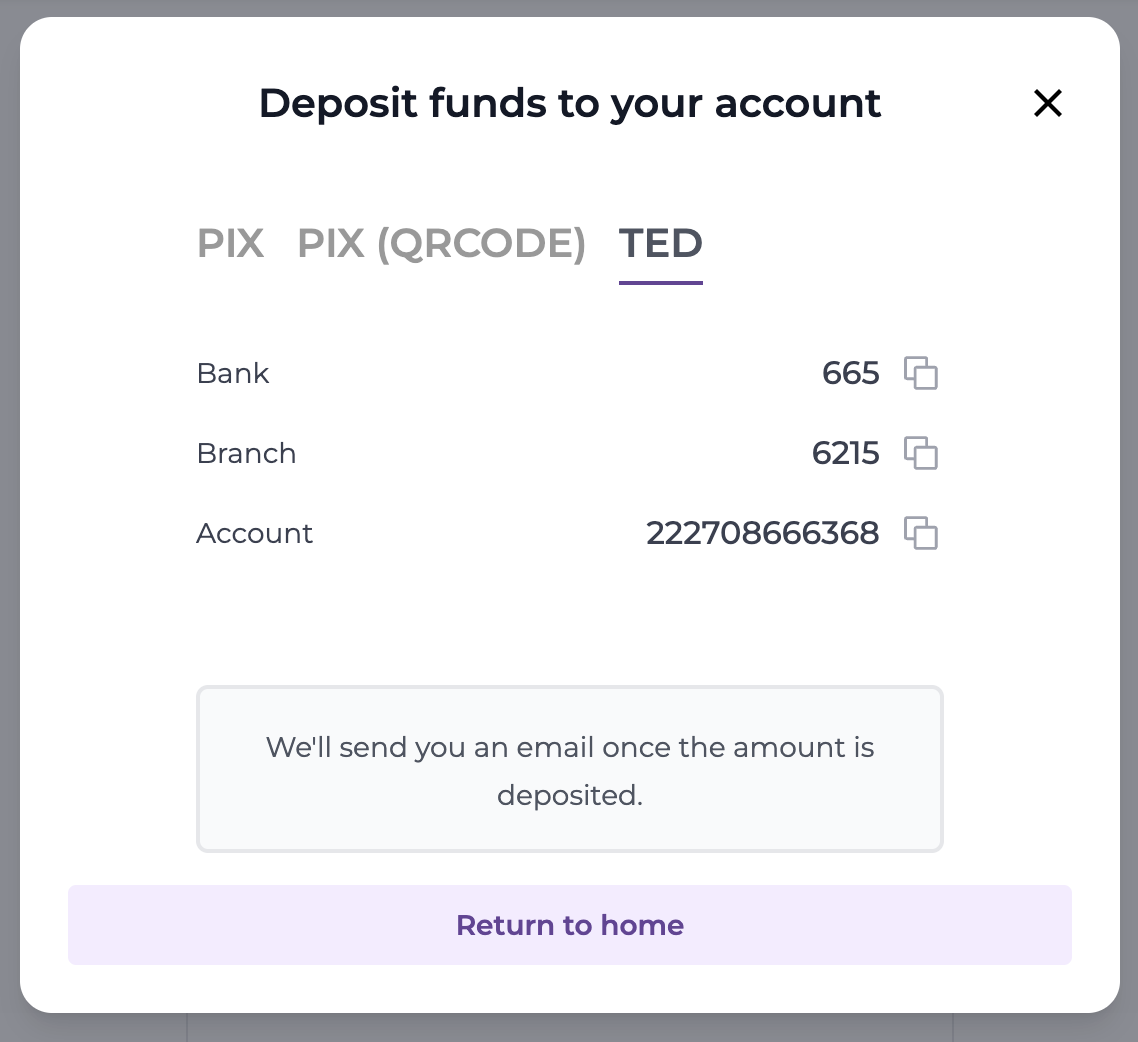
- Bank: 665
- Branch: Your unique branch number
- Account: Your unique account number
Tracking Your Deposits
After initiating a deposit, you can track its status using the API:Deposit Status
Deposits go through the following states:pending- Deposit has been initiated but not yet confirmedprocessing- Deposit is being processedcompleted- Deposit has been successfully credited to your account
Using Deposited Funds
Once your BRL deposit is completed, the funds are available in your account balance. You can:- Check your balance using the Get Balance endpoint
- Use the funds to convert to tokens following the Asset Conversions guide